Airport WXAirport weather at a glance
METAR, TAF, and changing conditions in one place.
METAR, TAF, and changing conditions in one place.

Find an airport by ICAO code and add it to Favorites. Check its weather at a glance on the home screen, then pull down to refresh.

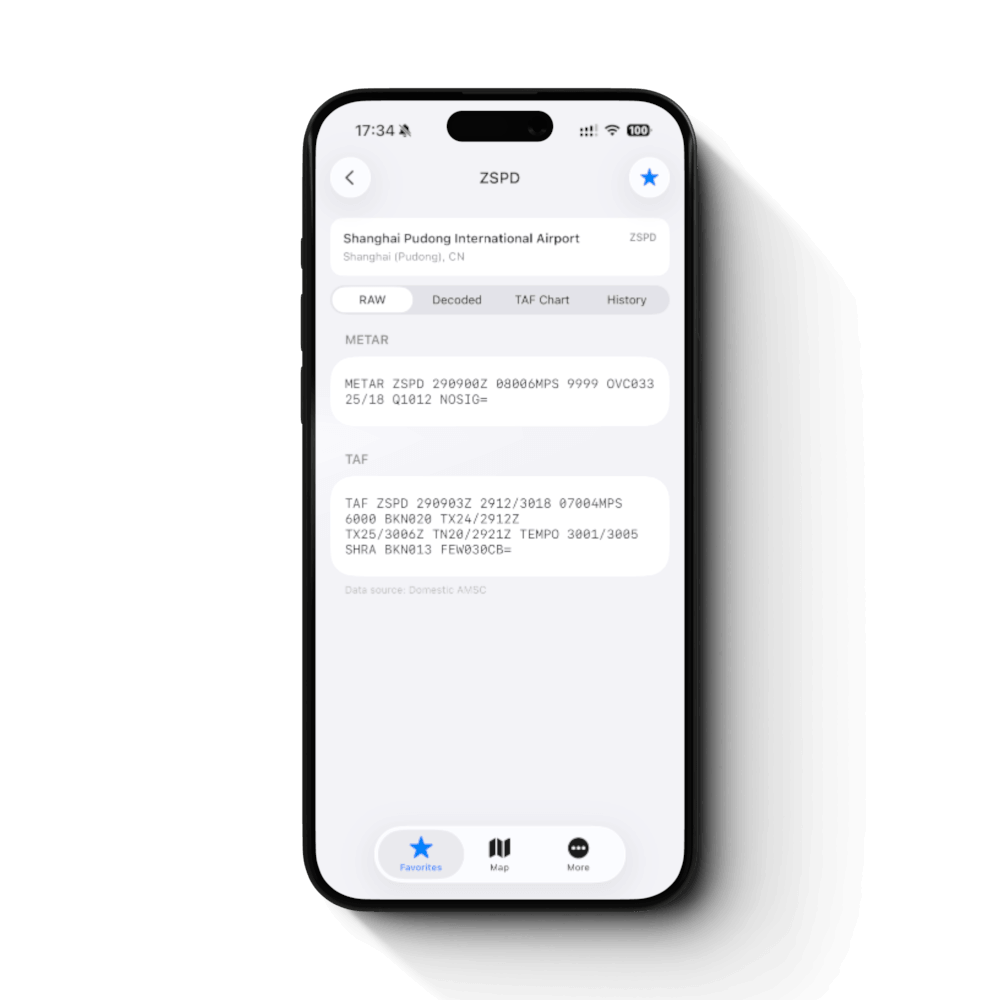
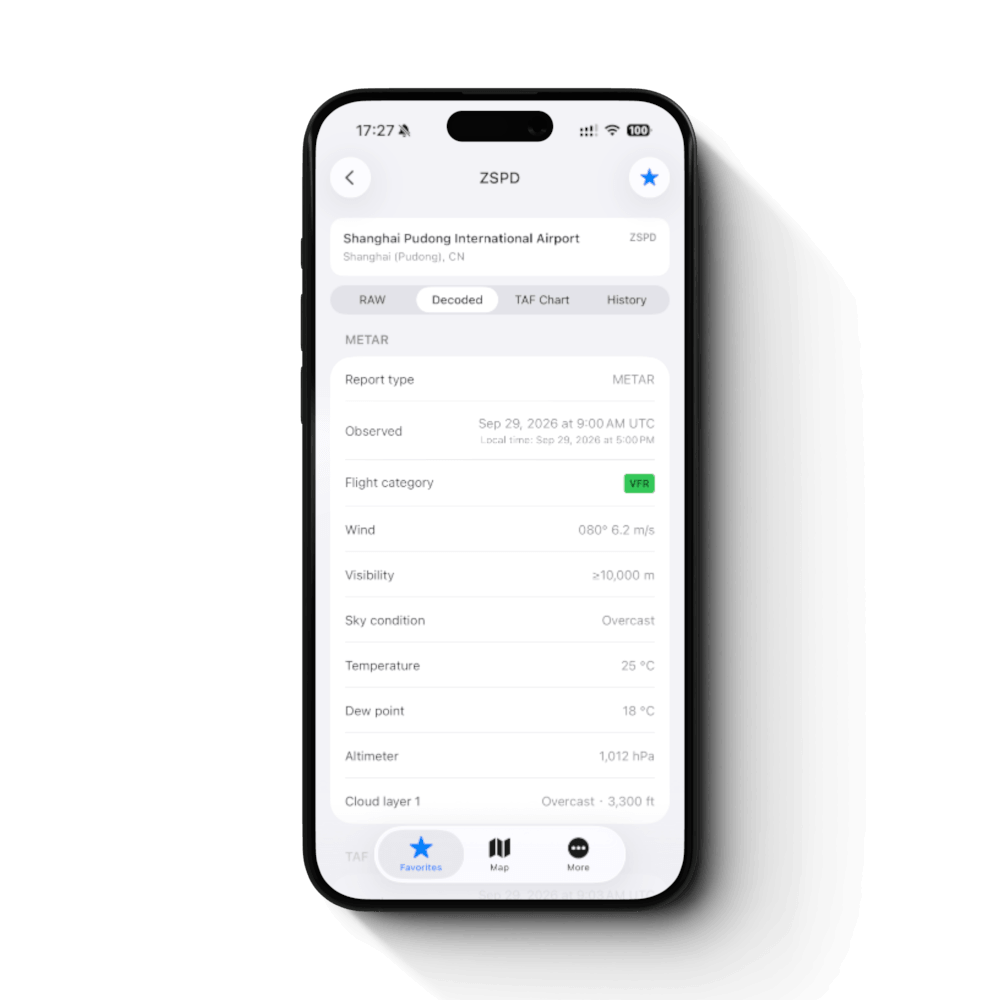
Switch between the original METAR and TAF reports and a clear breakdown of the weather at each airport.
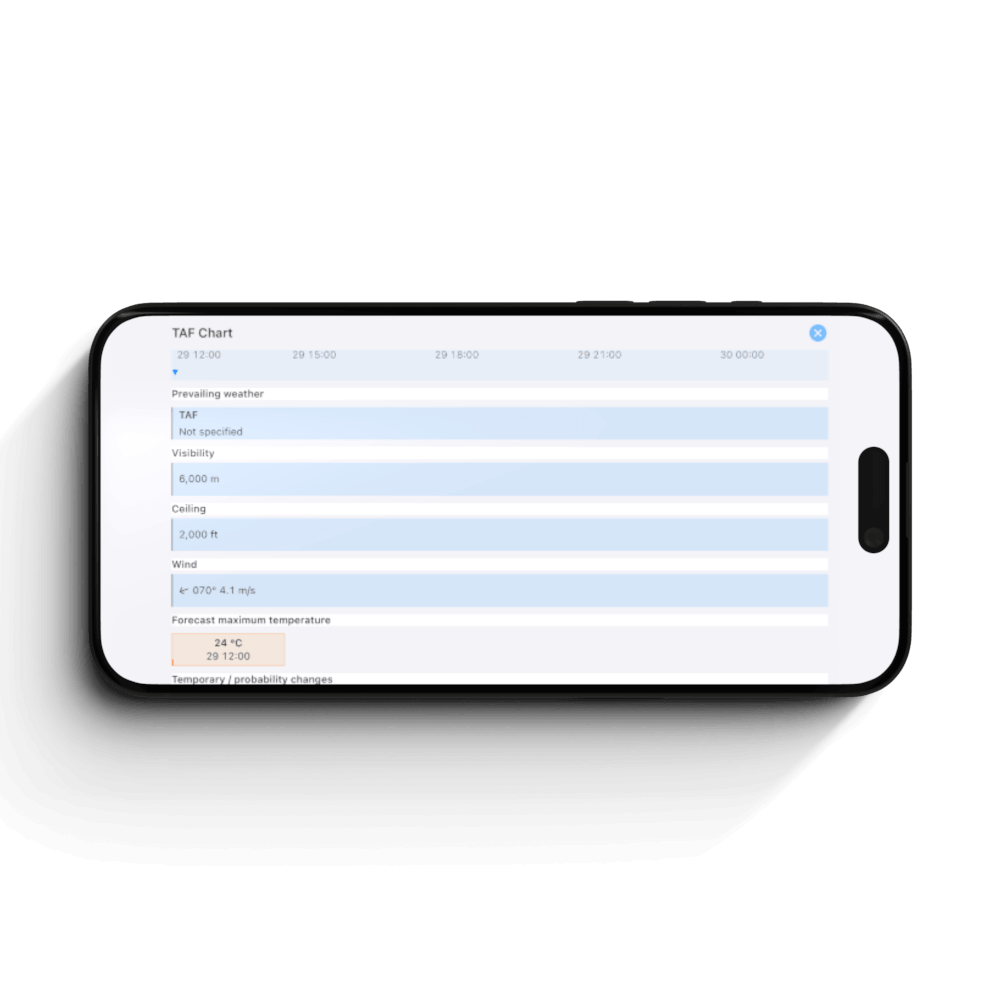
Follow forecast periods and changes along a timeline. Open the chart in landscape for a wider view.
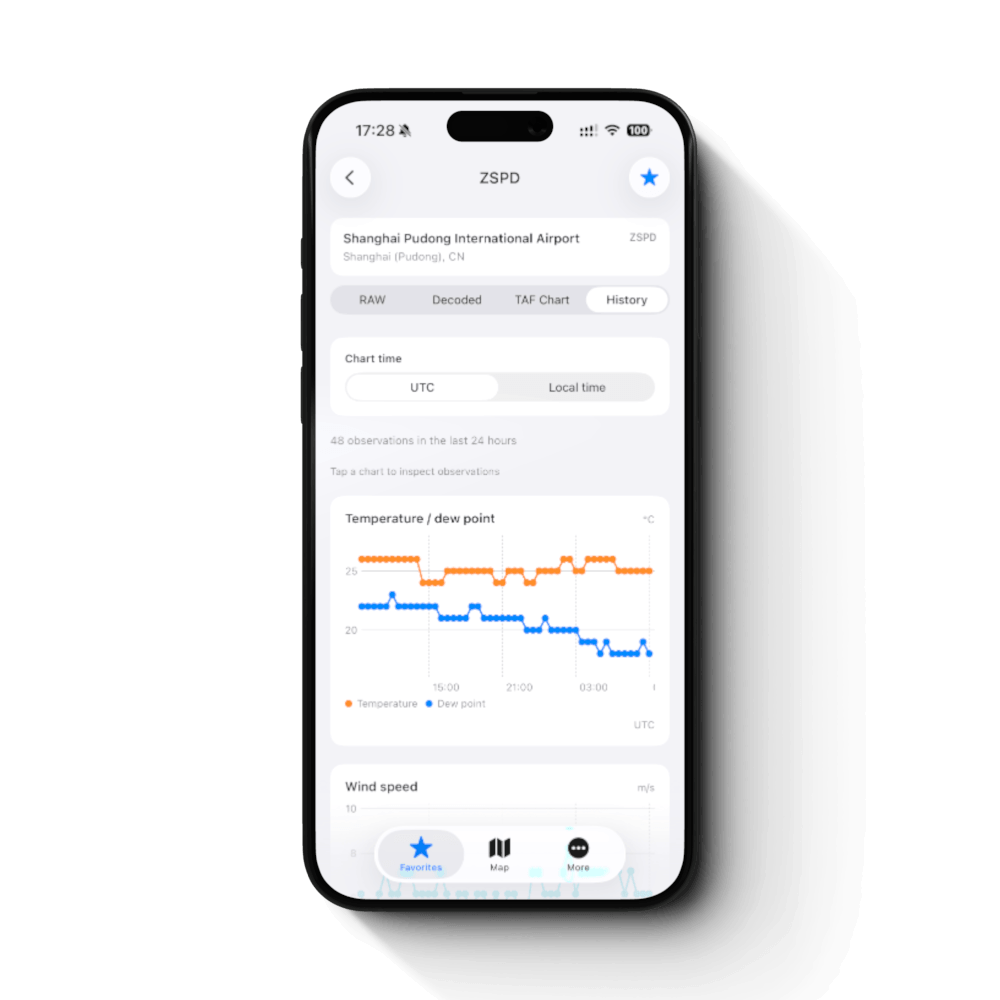
Explore the last 24 hours of temperature, dew point, wind speed, pressure, and visibility trends.
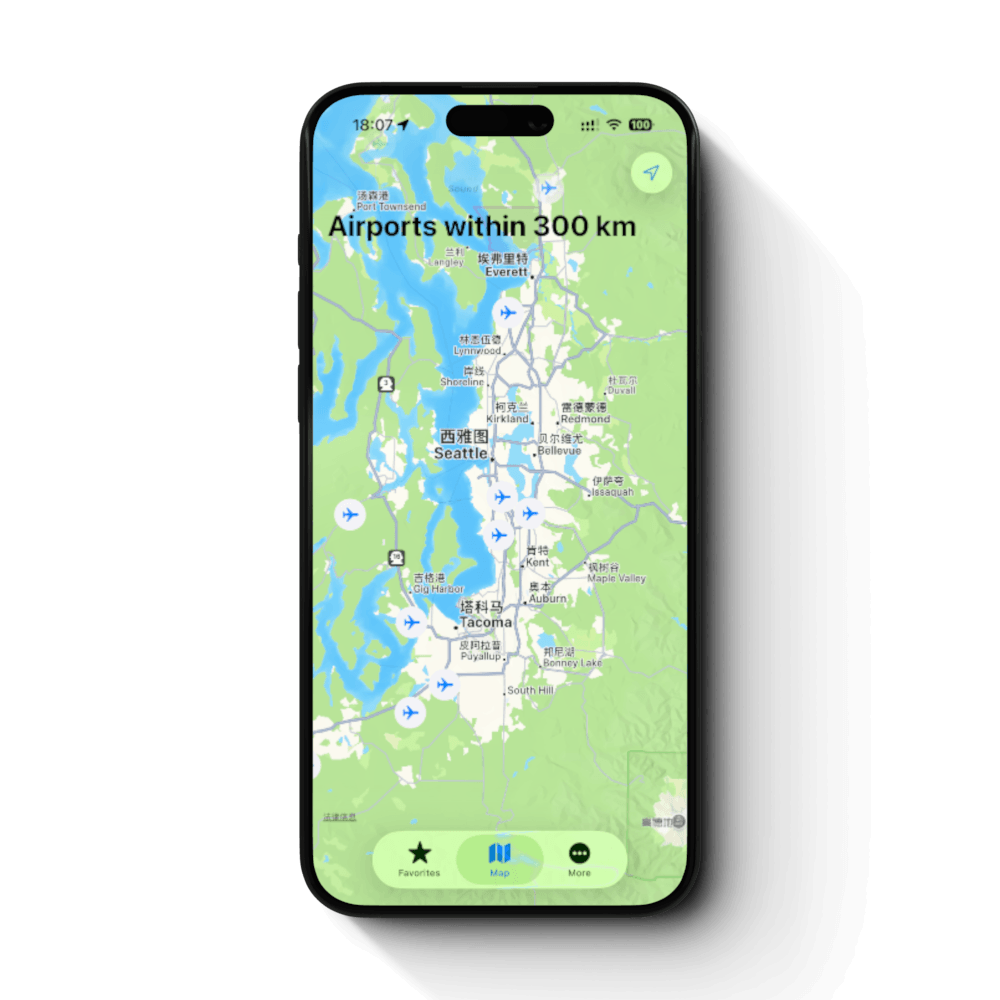
See airports near your location on the map. Tap a marker to open the airport's weather details.
Reports may be delayed or unavailable. Use official information for flight planning and operational decisions.